


I’ve been working from home full time for five years now, and even before that, I had a side hustle that I worked on from home before and after going to my day job, but this is new for a lot of people. Whether your employer has you working from home, or you’ve been laid off or furloughed and are thinking of starting an online business to help pay the bills, working from home when you’re used to going into an office requires a certain amount of adjustments, so I’m going to help you out with my top 6 tips to stay productive (and sane) while working from home.
Table of Contents
- Get Dressed Up … If You Want
- Stick to a Routine
- Work in One Place
- Turn Off the Internet
- Get Your Equipment
- Video Chat Tips
1) Get Dressed Up … If You Want

Personally, my favorite part of working from home is that I get to wear comfy clothes without worrying about making sure I look professional, but other telecommuters have found that getting dressed like they’re going in to an office helps get them in the right mental state to work.
There’s something to be said for the fact that the way we dress really does have an effect on the way we feel. Certain clothes can make us feel more confident, and even more capable, so if you find that wearing sweatpants all day just makes you want to lie on the couch and watch television, while office clothes prompt you to get work done, then by all means, wear your office clothes when you’re working.
This can also come in handy if your boss and/or a client wants to hop on a surprise video chat with you. I had a phone call with a client once, and in the middle of the phone call, she decided she wanted to switch to video chat so she could show me something on her screen. I agreed without thinking about it, and it wasn’t until we were already on the video chat that I remembered I was wearing a sweatshirt – not my usual attire for meeting clients. If you remain dressed for work while you’re working, you’ll never have to worry about finding yourself in that situation.
2) Stick to a Routine
There’s also something to be said for the role your routine plays in your mental state. If you have a morning ritual that you perform every morning before you start working, regardless of what that ritual is, chances are that ritual helps you get ready for work, not just physically, but mentally. Routines help to make our chaotic world more orderly and predictable, which humans tend to prefer because it makes us feel safer. Not only do we tend to be more productive when we feel safe (when we aren’t on the lookout for threats, we can focus on work), but the routine also alerts our brains to the fact that it’s time to get work done. When your brain gets that heads up, it prepares itself for another day of work, which allows you to be more productive.
So, if you normally dress a certain way before going in to work, as mentioned above, the act of getting dressed can make you more productive when you start working.
If you normally make yourself coffee or tea after you get to the office, but before you start working, then making yourself your beverage of choice at home before you start work for the day can make you more productive. The caffeine plays its part, but the ritual also has an effect on our ability to get work done.
3) Work in One Place

Not everyone can afford a dedicated home office, but if you can pull it off, go for it. Much like your morning routine and your outfit, working in one place (and only working in that place) can help signal your brain that it’s time to get work done. If you can afford a room that you only use for work, you might be able to deduct it from your taxes, but be sure to check with your tax professional first to make sure it meets all the requirements.
If you don’t have enough space to be able to dedicate an entire room where you do nothing but work, try to carve out some space, however small, to work. It can be a certain chair, a particular spot on your sofa, or even a corner on the floor if you like hanging out on the floor. The only requirement is that you feel safe (avoid sitting with your back to a window or a door) and comfortable, and ideally it should be free of distractions. That means no TV, no fridge, and ideally your kids and/or pets should have limited access to you. I know that’s not always possible, but do your best. If that means your spare bathroom becomes your “office” so be it.
Pro tip: Make sure you don’t try to convert your bedroom into your home office. Just like working in one space can train your brain to work when you’re in that space, sleeping in one space can train your brain to sleep in that space, but if you sleep and work in the same place, your brain will get confused. If you already have trouble falling asleep because thoughts of work are keeping you up, trying to work in your bedroom will only aggravate that problem.
4) Turn Off the Internet

Depending on the nature of your job, you probably need the internet in order to get work done, but unless you’re a social media marketer, you don’t need access to social media while you’re working.
If you don’t need access to the internet to get your work done, you can simply turn off your internet (or your computer’s access to the internet) while you work. If you do need the internet, there are extensions you can install on your browser to block certain websites while you get work done. That way, you can do your research and answer emails, but stay away from social media and other time-wasting sites.
If you do need to access social media for work, set a timer so that you don’t end up spending all day scrolling through your feed. Prioritize your notifications feed and certain hashtags you want to pay attention to if engagement is part of your social media strategy (as it should be). Just remember that the scrolling feature is designed to keep us hooked, so avoid it as much as possible, and when you can’t avoid it, use a timer.
5) Get Your Equipment
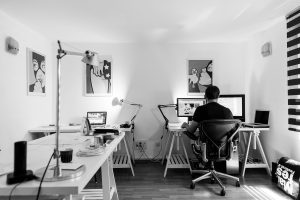
The best part about the Digital Age is that most of us don’t need anything more than a computer, a cell phone, and a modem to do our jobs. Depending on the industry you work in, you might need additional equipment or supplies, but chances are good that you already have the basics.
But even a cubicle consists of more than a computer. There’s a chair to sit in – maybe even an ergonomic chair if you’re lucky, and an ergonomic keyboard, or at least a pad just in front of the keyboard to prevent carpal tunnel syndrome.
If all you need to be comfortable while you work is a corner of your sofa and a pillow to prop up your computer on your lap, then you’re probably all set. But you might be more comfortable sitting in a chair at a desk, or even just at your dining room table, if your living situation allows for that.
Standing desks have recently become fairly popular and there are some inexpensive options that are adjustable so you can sit when you get tired and stand when you get restless.
If you do decide to get a standing desk, you’ll probably need a wireless keyboard if you’re working on a laptop so you can keep your elbows at a 90 degree angle while keeping your screen at eye level.
If you work best with music playing softly in the background, maybe invest in a small stereo, or even just a wireless speaker. When you don’t have an office full of people to consider, you don’t have to worry about playing whatever they want to listen to. Your family/roommates, however, are another matter. If they object to your music choices or to any sound at all, consider using headphones – noise-blocking headphones might be best if you’re trying to block out distractions from your family/roommates and/or noises from outside.
6) Video Chat Tips
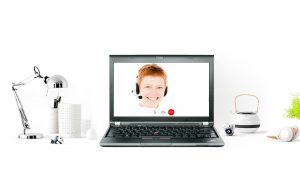
Now that video conferences have become the new norm, how about some tips to help you look your best on video?
1) Look at the Camera When Speaking
It can be tempting to look at the images we see of other people during video chats, but that leaves you looking below the camera, which makes it look to the other participants as though you’re looking down, rather than at them. To create the illusion that you’re making eye contact, look directly at the camera, not at the screen, especially when you’re talking. Feel free to look at the screen when other people are talking, but keep in mind that, if they’re looking at their screen, it will look like you’re looking down at something else, which makes it seem like you aren’t really paying attention. Most people know that it’s just an effect created by the misalignment of the camera and the screen, but that doesn’t mean it won’t affect how they feel about you, even if it’s on a subconscious level.
2) Choose Your Outfits Wisely

Personally, I have a very pale complexion, so I tend to avoid wearing anything on video that’s going to make me look washed out. The walls of my home office are also painted a pale color, so if I’m not careful, I’ll just disappear. I have a couple pale sweaters I tend to wear to networking events, but when it comes to video, I leave those in the drawer and pull out bolder colors that will show up better on video.
So, take into account your complexion and your background before choosing your outfit, and that includes jewelry if you wear it. Now is the time to bring out those big statement necklaces if you have them because they’ll show up better on video. Earrings that dangle are always an option, but if you use airpods during your video conferences, you’ll want to make sure you don’t wear anything that knocks against your airpods and causes distracting noises.
Simple patterns are OK for video, but avoid complicated patterns, and try to stay away from black and white.
Obviously, the choice to wear pants is up to you, but unless you’re taking the meeting at your standing desk, consider the possibility that something might happen and you might have to stand up suddenly. What if there’s an emergency? Or you spill hot coffee on your lap? You don’t necessarily have to wear slacks, but at least wear something that will keep you covered, and hopefully won’t be too embarrassing if you do have to reveal the lower half of your body.
3) Personalize your Avatar
What do other people see when your video is turned off? Do they see the default avatar of whichever video conferencing tool you’re using? Do they see a flattering picture of you? Or your logo, if you’re a business owner? Going into your settings and choosing an image to display as your avatar is quick and easy and it just looks better than the default avatar. It can help people feel like you’re still present in the meeting, even if they know they’re just looking at a photo.
Along with that, use your video wisely. We’ve all seen the video of the woman going to the bathroom during a Zoom call, so let’s learn from her mistake and remember that we can always turn off our video whenever we’re doing something we don’t want anyone to see. In addition to nudity, that goes for things like eating and drinking. Eating on camera just looks bad, so if you have to eat during video conferences, turn off your camera while you do so. Drinking on camera is usually OK, but if you don’t want your boss to see what you’re drinking, then either turn off your video, or keep your drink outside the range of the camera.
4) Use the Mute Function
In addition to controlling when people see you, remember that you can also control when they hear you. If someone else is giving a presentation, mute yourself, especially if you have pets and/or children who might make noise, and/or if you’re eating during the presentation. If your roommate/family member has to ask you a question, be sure to mute yourself so the entire conference doesn’t become privvy to your conversation. If people are doing yardwork outside your window, make sure all your windows are closed to block as much of the noise as possible.
If you’re using Zoom and you’re the host, remember that you have the ability to mute all your participants and unmute them as you see fit. It’s a great way to avoid distractions and keep everyone focused on the task at hand.
5) Use the Chat Feature
If you have questions or things you want to add while someone else is talking, you can use the chat feature to include your input without interrupting. If you want to say something to someone that you don’t want the rest of the conference to know about, you can send a chat just to that person. Just be careful when using the chat and make sure that when you want something to be private, that you are only sending it to that person and no one else. By the same token, when you want a chat to go to everyone, make sure it goes to everyone instead of going privately to an individual.
6) Light Yourself Properly
You don’t need professional lighting equipment to make you look good on video, but there are a few basic tricks you can use.
To start with, make sure you aren’t backlit (meaning the light is coming from behind you), because that puts your face in shadow and makes it hard for your fellow video conference attendees to see you. That means avoid sitting in front of windows and lamps during video conferences.
If you can sit facing a window, with the camera between you and the window, that’s preferable because the sunlight will provide that natural glow that will make you look great. Even sitting next to a window is a good option, but if you do that, you might want to keep a lamp on your other side to avoid leaving half your face in darkness.
If you can’t sit near a window, or if it’s dark outside during your meeting, by all means, use a lamp, but make sure it’s positioned properly. I prefer lighting that is in front of and above me, but feel free to play around and see which angle you prefer.
Ring lights are also an inexpensive option. They’re small rings that can clip onto your phone or laptop over the camera lens, and they can provide some of the effects of studio lighting at a fraction of the cost. The problem with fitting them over your camera lens is that it doesn’t provide any contrast so it can leave you looking washed out. If you do decide to get a ring light, there are extensions you can use to position the ring light above you and the camera and/or off to one side. Again, play around with it and see what you prefer.
Finally, if you’re using your phone for video conferences, get a small tripod for your phone so your arm doesn’t get tired and people don’t have to see your face wobbling all over their screen. They’re inexpensive and free up your hands so you can eat, drink, take notes, do whatever else you need to do.
If you found this content helpful and would like to receive more of it, you can sign up for our newsletter in the space below to make sure you never miss an update. You can also follow us on LinkedIn, Twitter, and Facebook to see what we’re up to.
If you need help developing, implementing, and/or maintaining a content strategy for your marketing efforts, we can help.
